Main menu

Forum


× Help Forum English

[SOLVED] [module] Delete "no image" in calendar module

  • adrjano
  • Topic Author
  • Junior Member
  • Junior Member
More
13 years 1 week ago - 13 years 3 days ago #5480 by adrjano
Hello there folks !
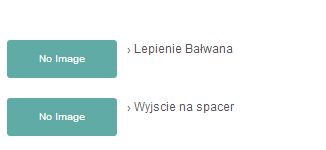
Is there any way to delete text "no image" in calendar module?

Thx for any help
Attachments:
Last edit: 13 years 3 days ago by Lyr!C. Reason: [SOLVED]

Please Log in or Create an account to join the conversation.

  • Lyr!C
  • Lyr!C's Avatar
  • Administrator
  • Administrator
  • Lead Developer
More
13 years 6 days ago #5485 by Lyr!C
Hi!

Yes, what you can do is create your own theme pack based on default of ic_rounde (you can watch the tutorial video on this website : www.joomlic.com/en/docs/icagenda-tutorial-videos)

Do the copy of files from iCagenda version 3.2.4, as theme packs available to download on joomlic are not yet updated...

Then, with this new theme name, you will be able to edit the files, without having them remove by an iCagenda upgrade.

And after, you will just have to remove the line or edit, where the "no image" string of translation is display, in YOURNAME_day.php file.

B)

Latest version : iCagenda 4.0.17 Joomla! 4 > Joomla! 6
We recommend every user to keep iCagenda updated.
Support for iCagenda version 3.9 (the final version compatible with Joomla 3) ended on October 13, 2026
Extended security support for the iCagenda PRO 3.9 version until October 13, 2027 (to benefit from this extended support, you must have a Pro subscription: www.joomlic.com/extensions/icagenda)
Don't forget to have your Joomla!® up-to-date!

Do you like iCagenda?
I would appreciate if you could take 5 minutes to post a review on JED (Joomla Extensions Directory) .

File Attachment:

The following user(s) said Thank You: adrjano

Please Log in or Create an account to join the conversation.

  • adrjano
  • Topic Author
  • Junior Member
  • Junior Member
More
13 years 6 days ago #5487 by adrjano
Replied by adrjano on topic [module] Delete "no image" in calendar module
thank you very much !
The following user(s) said Thank You: Lyr!C

Please Log in or Create an account to join the conversation.

Moderators: Lyr!C
Time to create page: 0.048 seconds

Follow Us

Create your Joomla templates with Template Creator CK

acymailing logo new