-
iCagenda
-
iCagenda - English
-
[SOLVED] Can not add event image
[SOLVED] Can not add event image
-
BlueWonder
-
 Topic Author
-
Junior Member
-

Less
More
-
Posts: 15
-
Thank you received: 2
-
-
11 years 8 months ago - 11 years 7 months ago #9444
by BlueWonder
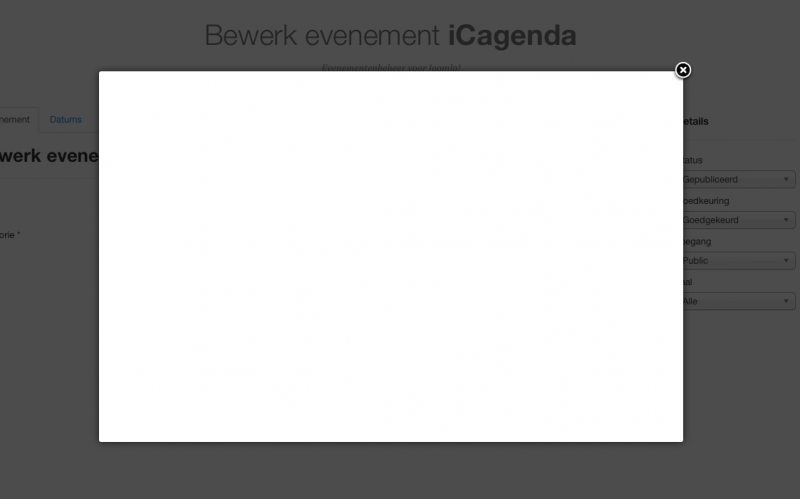
When I want to add an event image I get a white screen.
I can not select an image.
Last edit: 11 years 7 months ago by Lyr!C. Reason: [SOLVED]
Please Log in or Create an account to join the conversation.
-
Lyr!C
-

-
Administrator
-

-
Lead Developer
Less
More
-
Posts: 6971
-
Thank you received: 624
-
-
-
-
11 years 8 months ago #9462
by Lyr!C
Hello,
What is your Joomla version ?
iCagenda use the joomla core media manager modal window, so it's maybe an issue with your joomla install, or a conflict with another extension (a plugin ?)
Regards,
Cyril
Latest version : iCagenda 4.0.17
Joomla! 4 > Joomla! 6
We recommend every user to keep iCagenda updated.
Support for iCagenda version 3.9 (the final version compatible with Joomla 3) ended on October 13, 2026
Extended security support for the iCagenda PRO 3.9 version until October 13, 2027 (to benefit from this extended support, you must have a Pro subscription: www.joomlic.com/extensions/icagenda)
Don't forget to have your Joomla!® up-to-date!
Do you like iCagenda?
I would appreciate if you could take 5 minutes to post a review on
JED (Joomla Extensions Directory)
.
Please Log in or Create an account to join the conversation.
-
BlueWonder
-
Topic Author
-
Junior Member
-
Less
More
-
Posts: 15
-
Thank you received: 2
-
-
11 years 7 months ago - 11 years 7 months ago #9492
by BlueWonder
I use joomla 3.4.0.
PHP version 5.5.21
I don't think there is a conflict, because I use a clean install and the one and only extension that i have install is iCagenda.
On a other install of joomla 3.4.0 (on a other server) this works. The only difference is that there i have PHP version 5.4.33.
The other difference that i discovered is the url.
On the website that works the url = "/administrator/index.php?option=com_media&view=images&tmpl=component&asset=com_icagenda&author=&fieldid=jform_new_icon&folder="
On the website that doesn't work, the url = "/administrator/index.php?option=com_media&view=images&tmpl=component&asset=com_icagenda&author=&fieldid=jform_new_icon&folder=&ml=1"
So there is some extra: "&ml=1"
Last edit: 11 years 7 months ago by BlueWonder. Reason: More info
Please Log in or Create an account to join the conversation.
-
BlueWonder
-
Topic Author
-
Junior Member
-
Less
More
-
Posts: 15
-
Thank you received: 2
-
-
11 years 7 months ago #9503
by BlueWonder
I found the problem.
i forgot that i installed a plugin from Nonumber (modals).
This plugin add "&ml=1" to the url.
After u uninstall the plugin from Nonumber everything works just fine.
Please Log in or Create an account to join the conversation.
-
Lyr!C
-
-
Administrator
-
-
Lead Developer
Less
More
-
Posts: 6971
-
Thank you received: 624
-
-
-
-
11 years 7 months ago #9568
by Lyr!C
BlueWonder wrote: I found the problem.
i forgot that i installed a plugin from Nonumber (modals).
This plugin add "&ml=1" to the url.
After u uninstall the plugin from Nonumber everything works just fine.
So, you didn't have only iCagenda

Do you have the same issue with articles images when this plugin is installed ?
Do you have reported your issue to nonumber developer ?
Regards,
Cyril
Latest version : iCagenda 4.0.17
Joomla! 4 > Joomla! 6
We recommend every user to keep iCagenda updated.
Support for iCagenda version 3.9 (the final version compatible with Joomla 3) ended on October 13, 2026
Extended security support for the iCagenda PRO 3.9 version until October 13, 2027 (to benefit from this extended support, you must have a Pro subscription: www.joomlic.com/extensions/icagenda)
Don't forget to have your Joomla!® up-to-date!
Do you like iCagenda?
I would appreciate if you could take 5 minutes to post a review on
JED (Joomla Extensions Directory)
.
Please Log in or Create an account to join the conversation.
-
BlueWonder
-
Topic Author
-
Junior Member
-
Less
More
-
Posts: 15
-
Thank you received: 2
-
-
11 years 7 months ago #9590
by BlueWonder
Do you have the same issue with articles images when this plugin is installed ?
Yes with the articles images i had the same problem.
Do you have reported your issue to nonumber developer ?
I did.
The following user(s) said Thank You: Lyr!C
Please Log in or Create an account to join the conversation.
-
iCagenda
-
iCagenda - English
-
[SOLVED] Can not add event image
Time to create page: 0.061 seconds